Installing on Hetzner
Hosting Telebugs on Hetzner is a smart pick. It’s budget-friendly and simple to set up if you’re comfortable with some basic tech steps.
After signing up for a Hetzner account, follow these steps. It should take about 5 minutes.
-
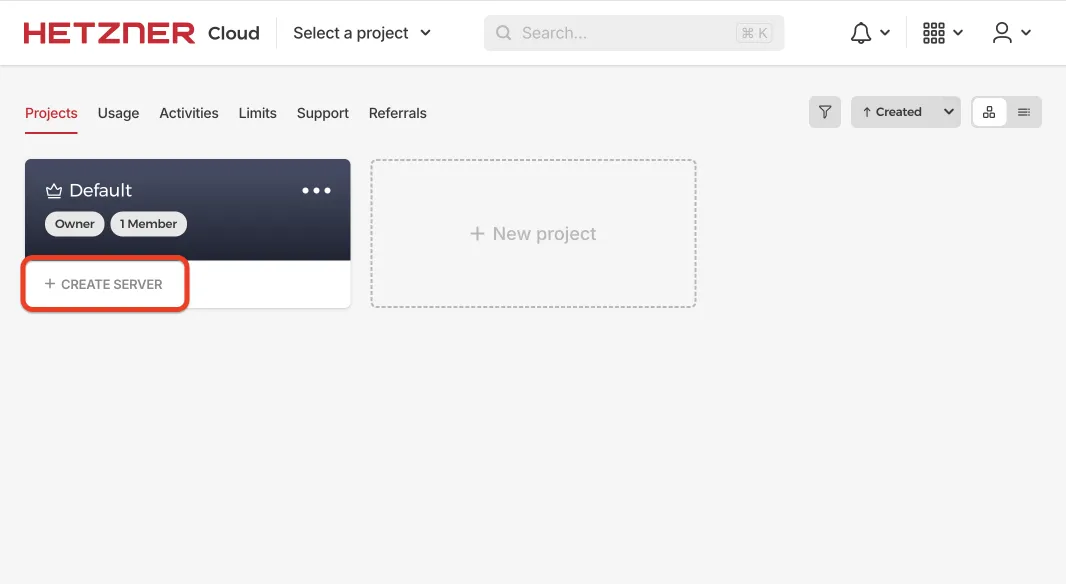
In your Hetzner account, click + Create Server and pick a plan.
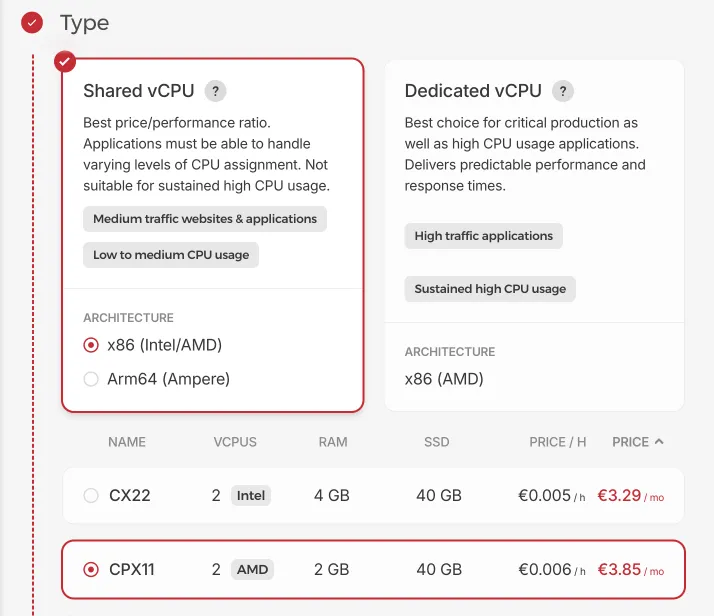
You need at least 2 GB RAM and 1 CPU. For a small production install, the CX23 plan (2 vCPU, 4 GB RAM, 40 GB local disk) is a good starting point and is the smallest Hetzner plan we currently use for throughput benchmarks.
-
Keep the default settings and click Create and Buy now. Your server will be ready in a few minutes.
-
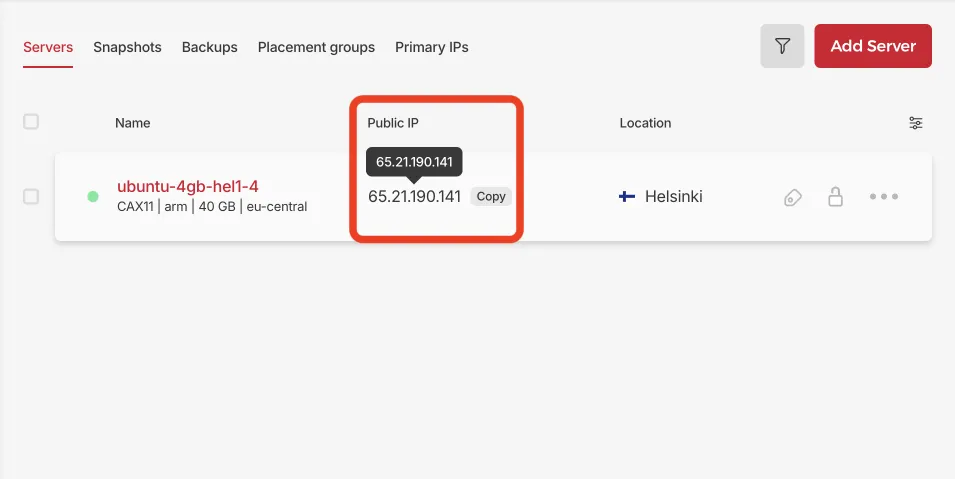
Once it’s ready, copy the Public IP address. This links your domain to the server.
-
Go to your domain provider’s site (like GoDaddy, namecheap, or Cloudflare). Log in, find the domain management section, and add an
A recordwith the IP you copied. It should look like this:
Ensure that proxying is disabled.
-
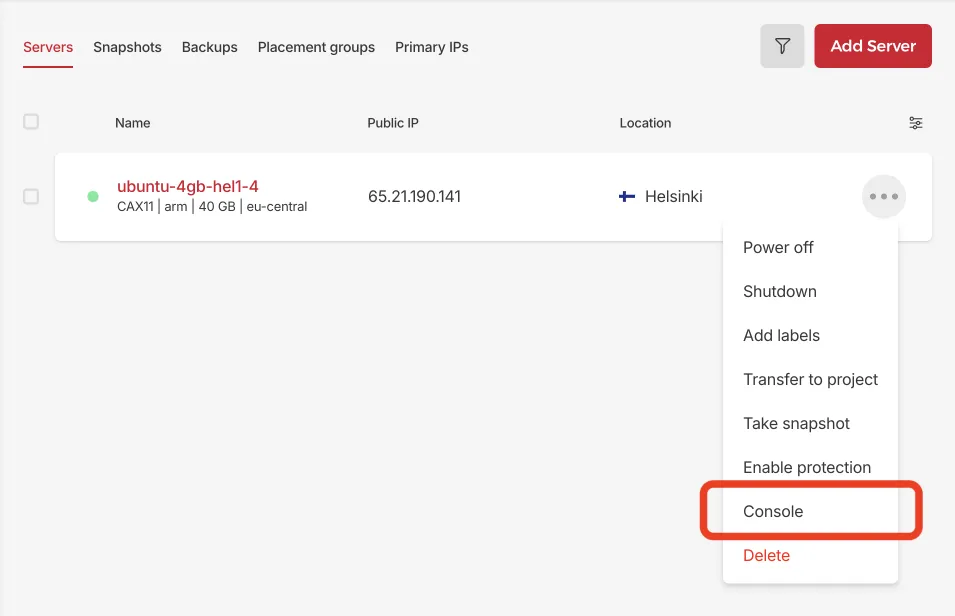
Back in Hetzner, open the Console to connect to your server.
-
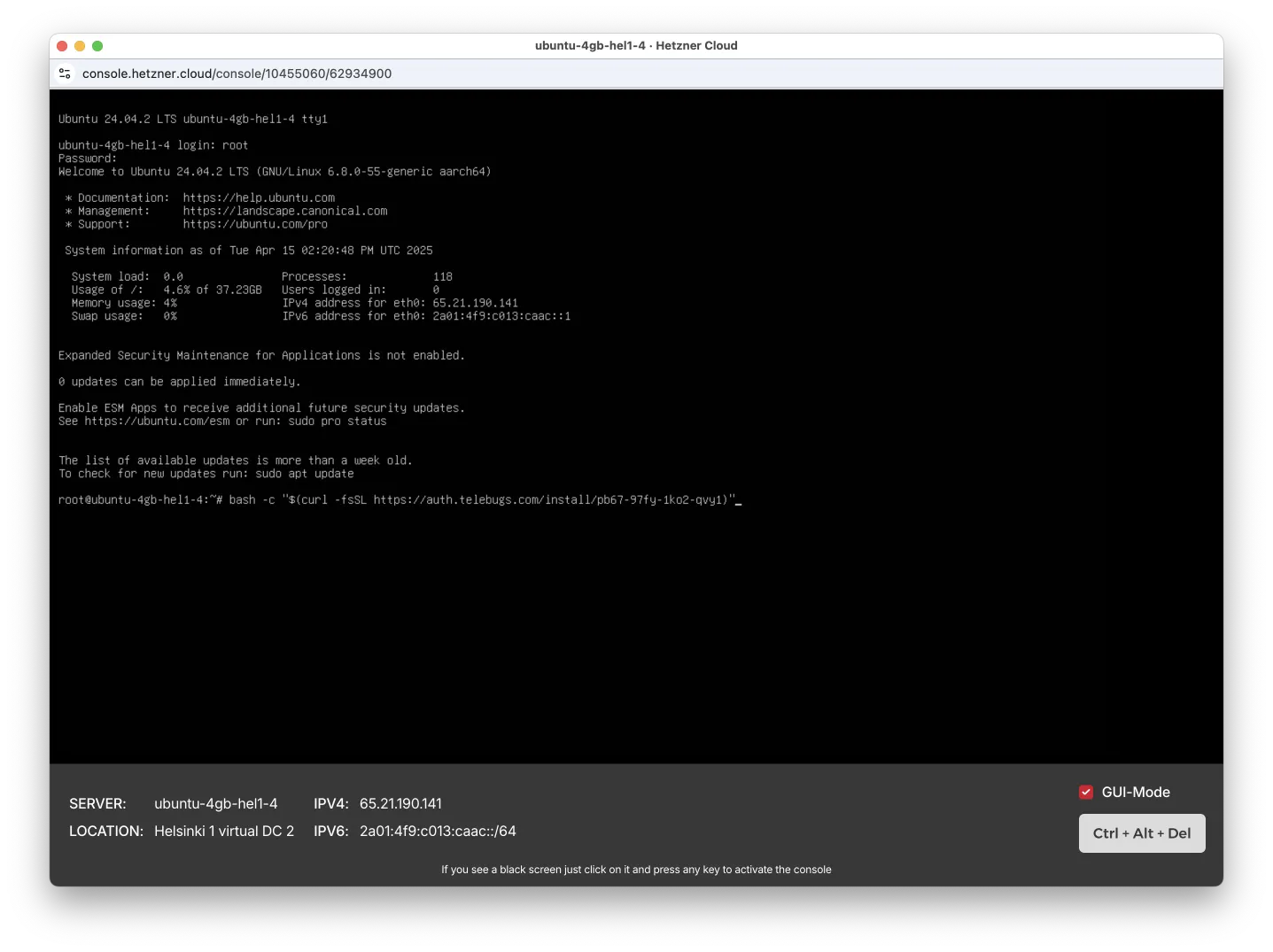
Check the confirmation email we sent you for the install command. Paste it into the command line.
-
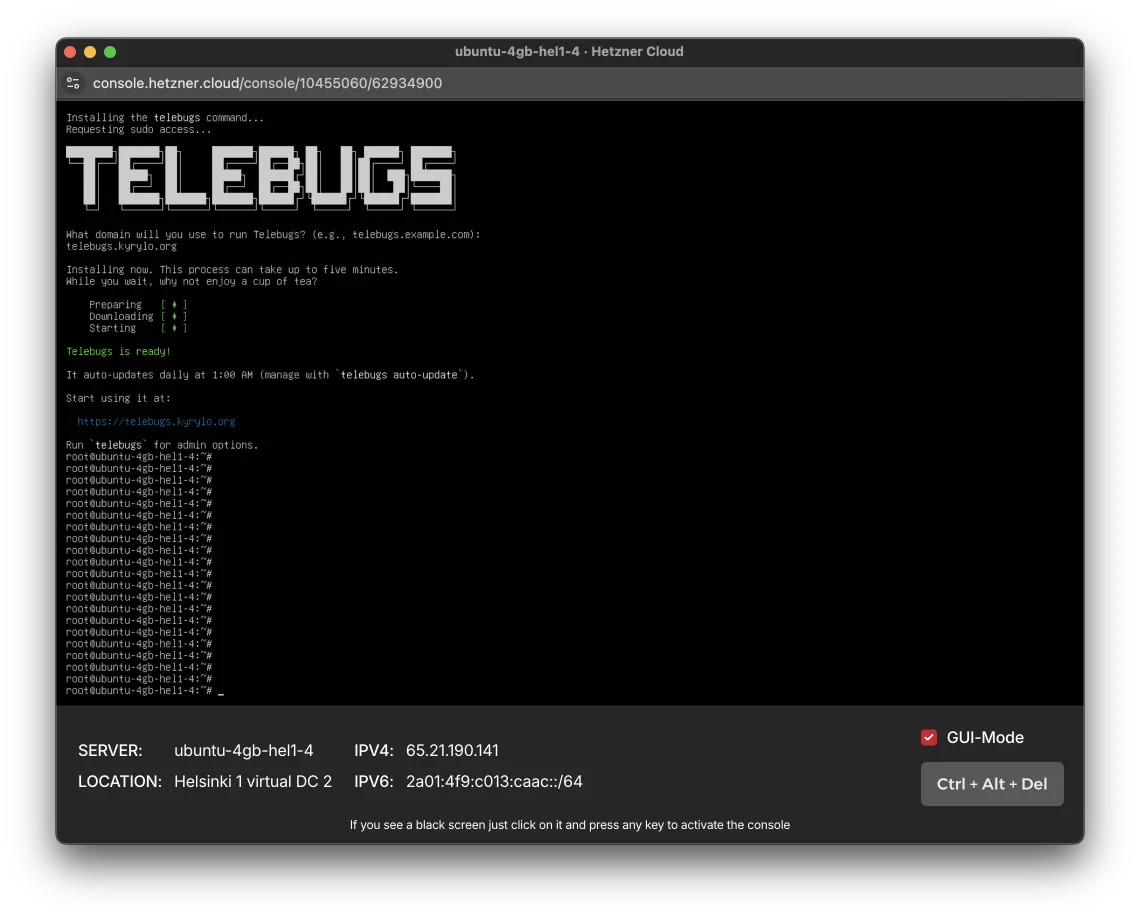
When prompted, type your domain name (the same one you used for the A record). The system will finish the setup. After a few minutes, you’ll see this:
-
All set! Open the URL in your browser and create your Telebugs account.